Digital Signage – a digital notice board for an energy supplier's customers
For the customer relations centre of an electricity and natural gas supplier we built a digital notice board. Customers look up legislation, contracts and procedures on screen, and the content is updated from the admin panel.
- Client
- Energy supplier (confidential)
- Industry
- Electricity and natural gas supply
- Period
- 2021
- Services
- Digital notice board web application, documents by category, admin panel
- Technologies
- Laravel, PHP, MySQL, jQuery
An electricity and natural gas supplier
The client is an electricity and natural gas supplier in Romania with a customer relations centre. Its name is not shown in this case study.
Useful documents within reach of customers at the centre
The supplier wanted visitors to the centre to find information about its supply activity on a screen, on their own: legislation, framework contracts, tariffs, billing and procedures.
The content had to be managed centrally, from one panel, and could be shown on several screens in different locations.
The DevTeam solution
We built the web application shown on the screen at the centre and the admin panel used to manage its content. These are the main components.
Welcome screen and documents by category
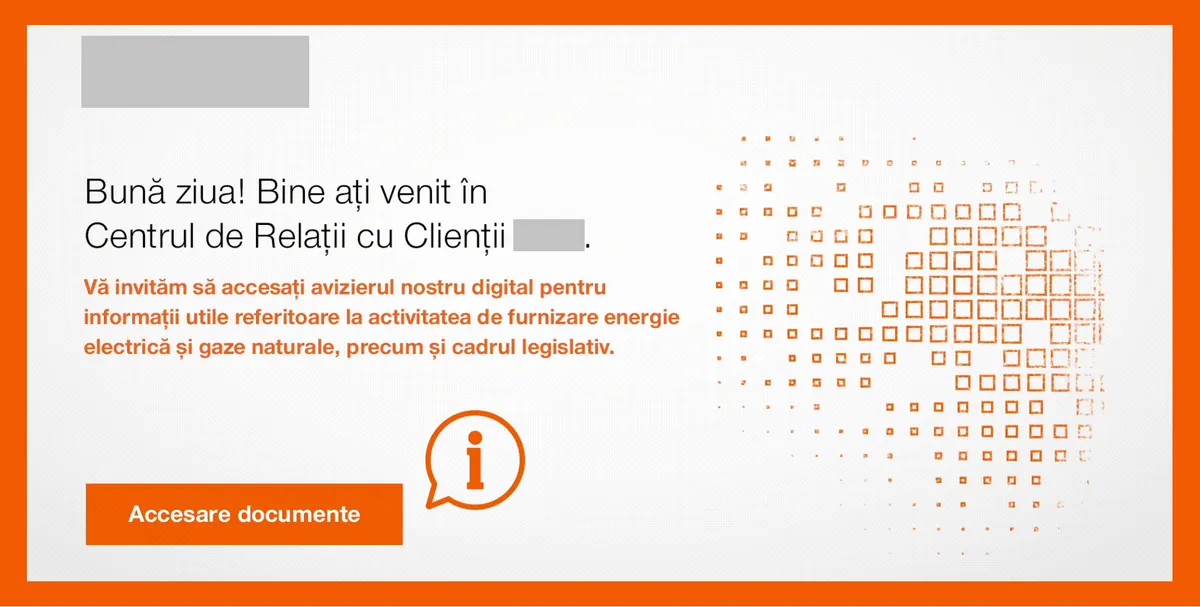
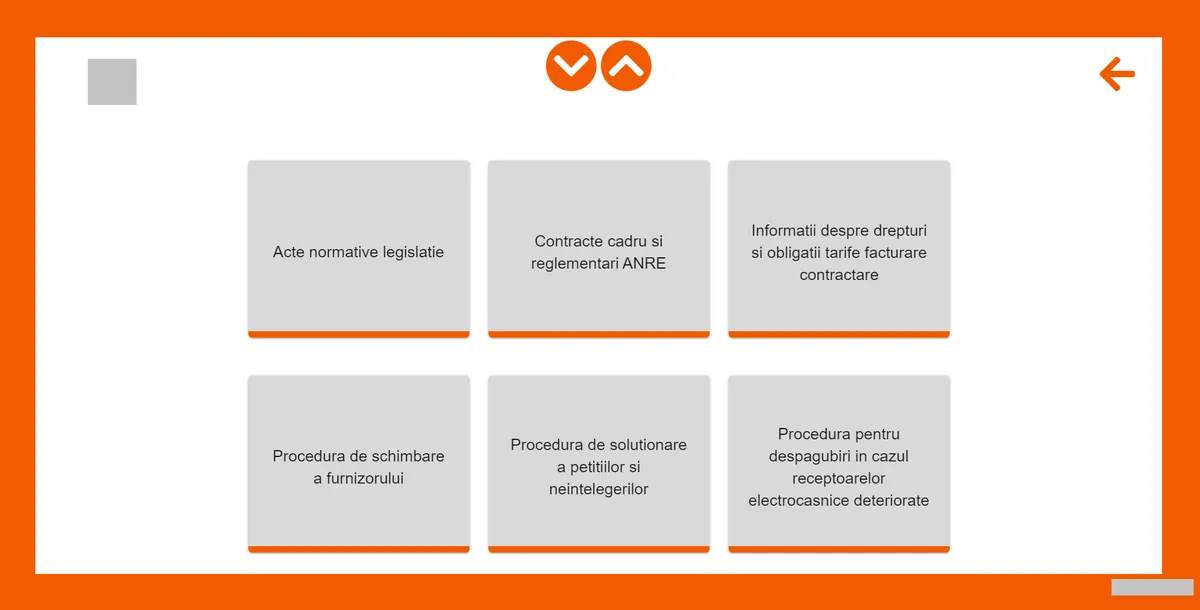
The notice board opens on a welcome screen with an "Access documents" button. From there, customers pick a category: legal acts, framework contracts and ANRE regulations, or rights, obligations, tariffs, billing and contracting.
Procedures have their own categories: changing supplier, handling complaints and disputes, and compensation for damaged household appliances. Navigation uses large buttons: up, down and back.
Content managed from the admin panel
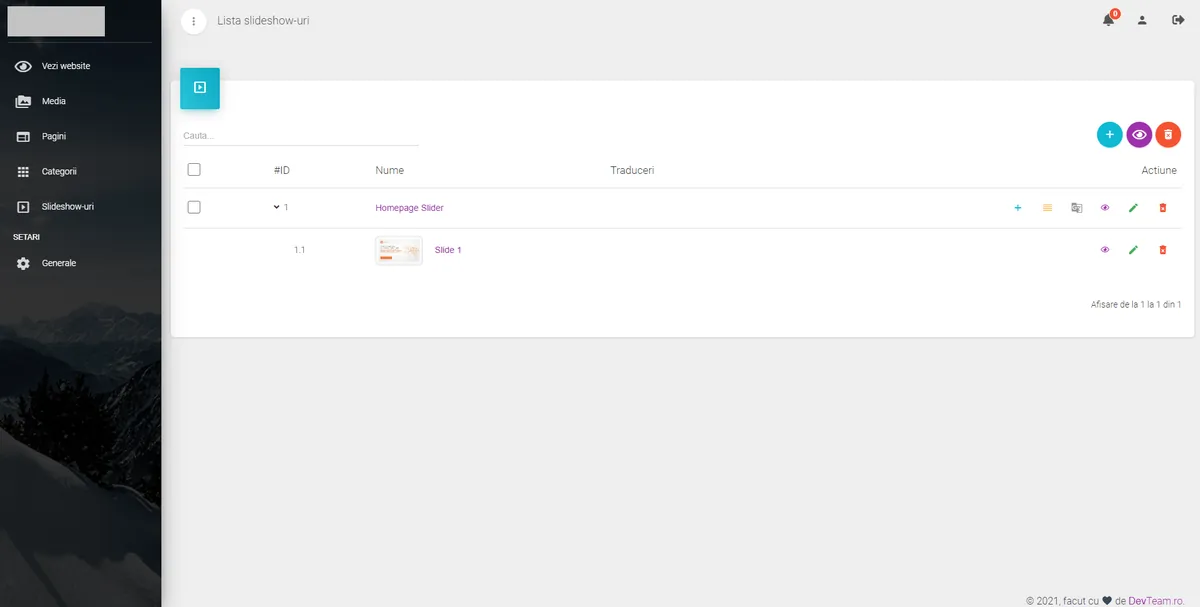
From the panel, the client's team manages the pages, categories, media files and slideshows shown on screen.
The notice board shows images, video and text, and changes reach the screen as soon as they are published.
Scheduling and several screens
Messages and media can be scheduled for specific time slots.
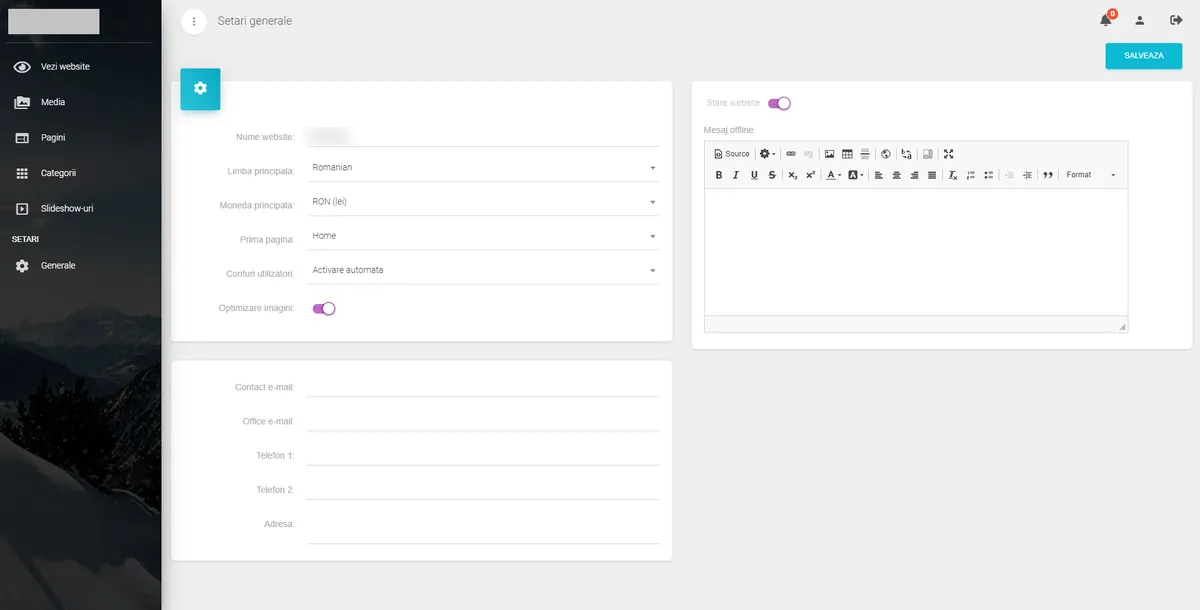
The application can control several screens in different locations, with content specific to each one. The settings set the main language, the home page and the message shown when the notice board is taken offline.
Key features
- Welcome screen with access to documents
- Documents grouped by category
- Up, down and back navigation buttons
- Images, video and text in slideshows
- Pages, categories and media managed from the panel
- Messages scheduled for specific time slots
- Several screens, with content per location
- Message shown when the notice board is offline
Results
- Customers at the centre look up legislation, contracts and procedures on screen, on their own.
- The client's team changes the content from the panel, without touching the screen.
- The same system can feed several screens, each with the content for its location.
Technologies
- Laravel
- PHP
- MySQL
- jQuery
- HTML5
- CSS3
Need an information screen for your customers?
We build digital signage applications and interactive screens, with content managed from a single panel, for one screen or many. Learn more about web application development.