Sanprod – a production ERP, from order to machine
For Sanprod Romania, a manufacturer of metal profiles, we built a production ERP. Orders, materials, machines and workers live in one system, and the shop floor works from an Android app.
- Client
- Sanprod Romania
- Industry
- Metal profile manufacturing
- Period
- 2021
- Services
- Production ERP, Android app for the machines, REST API, reports
- Technologies
- Laravel, PHP, MySQL, jQuery, Android
- Integrations
- Nexus (inventory)
A metal profile manufacturer near Bucharest
Sanprod makes standard and custom metal profiles from steel, aluminium and stainless steel for residential and industrial construction: flashings and trims, light structural elements, facades, fence, container and vehicle body profiles.
The company was founded in 2000 and is based in Cernica, Ilfov county.
Orders, materials and machines tracked in one place
An order for metal profiles goes through several stages: quote, materials from stock, work on one or more machines and delivery. Each machine has its own operators and its own times.
The goal was a central system where production is visible in real time, orders are assigned to machines and workers, and reports show productivity, material consumption and machine load.
The DevTeam solution
We built the Sanprod production ERP: a web dashboard for the office, an Android app used at the machines and a REST API that keeps them in sync. These are the main components.
From quote request to machine
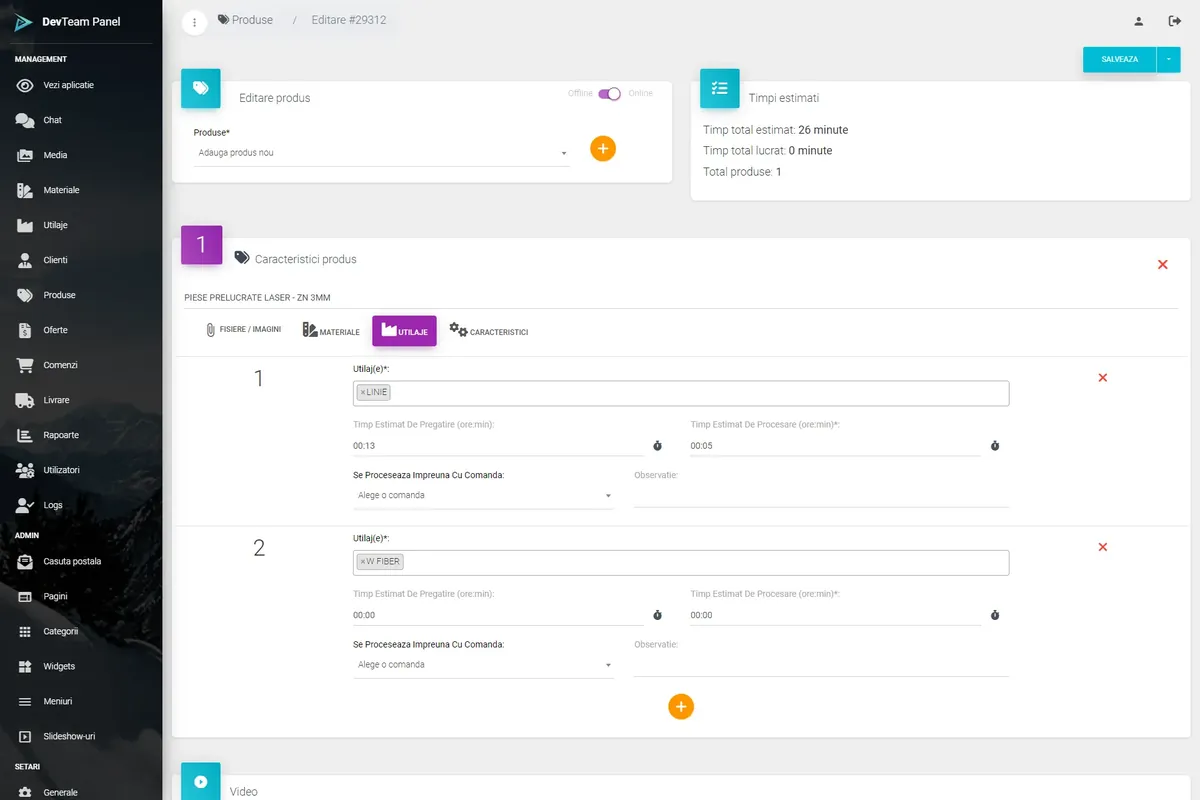
Work time is estimated from the product, and the order reaches the right machine without being passed on by hand.
The order holds the client, the materials with their weight, the total price and the estimated work time.
Each product lists the machines it goes through, with the estimated setup and processing time.
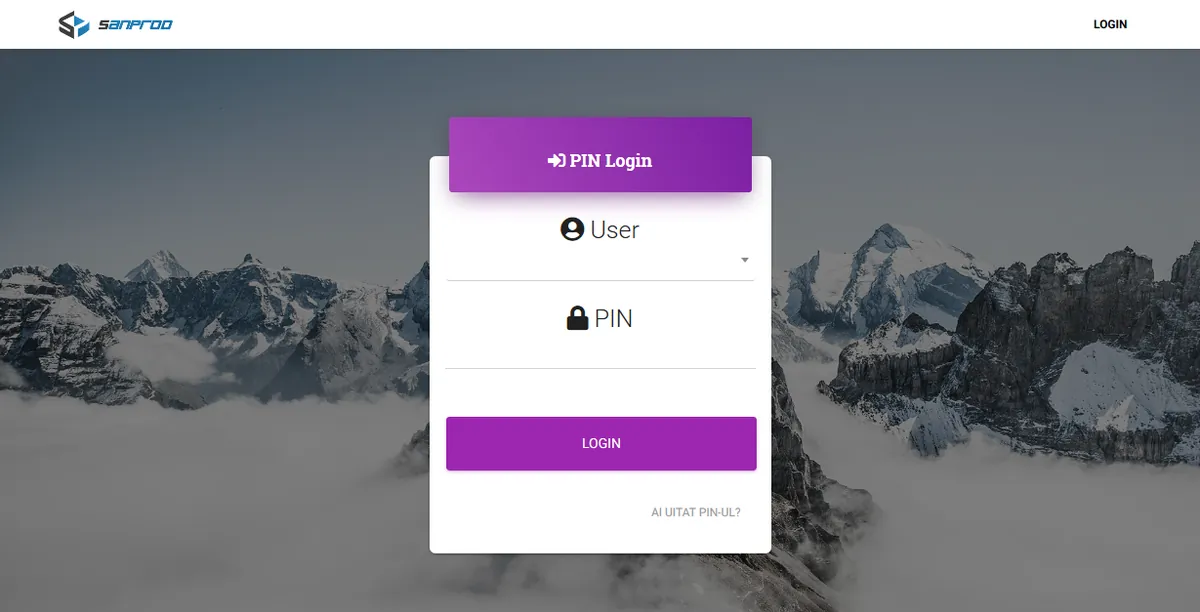
The worker logs in with a PIN, picks the team, sees the machine's orders and updates their status.
The manager sees in real time which machines are working and how much estimated load they have left.
Quote requests and orders
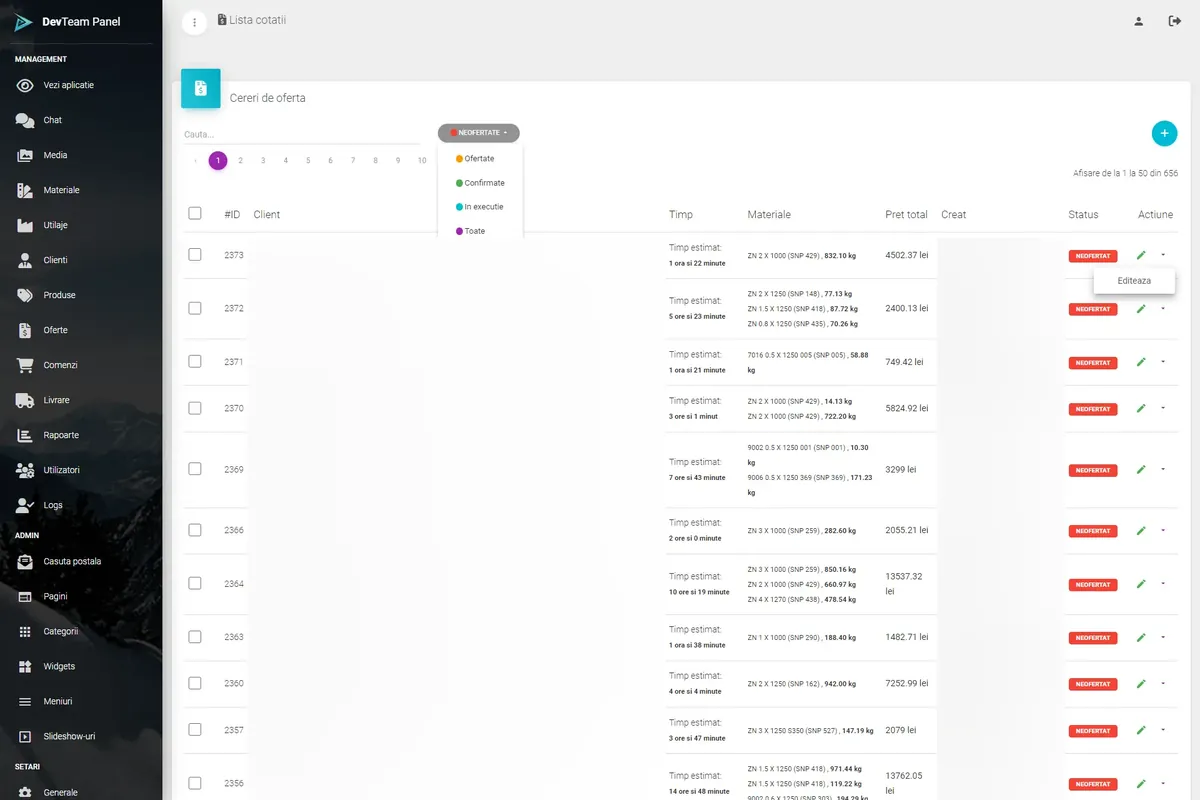
The quote request list shows, for each order, the client, the estimated time, the materials and their weight, the total price and who created it. Orders can be filtered by status: quoted, confirmed or in progress.
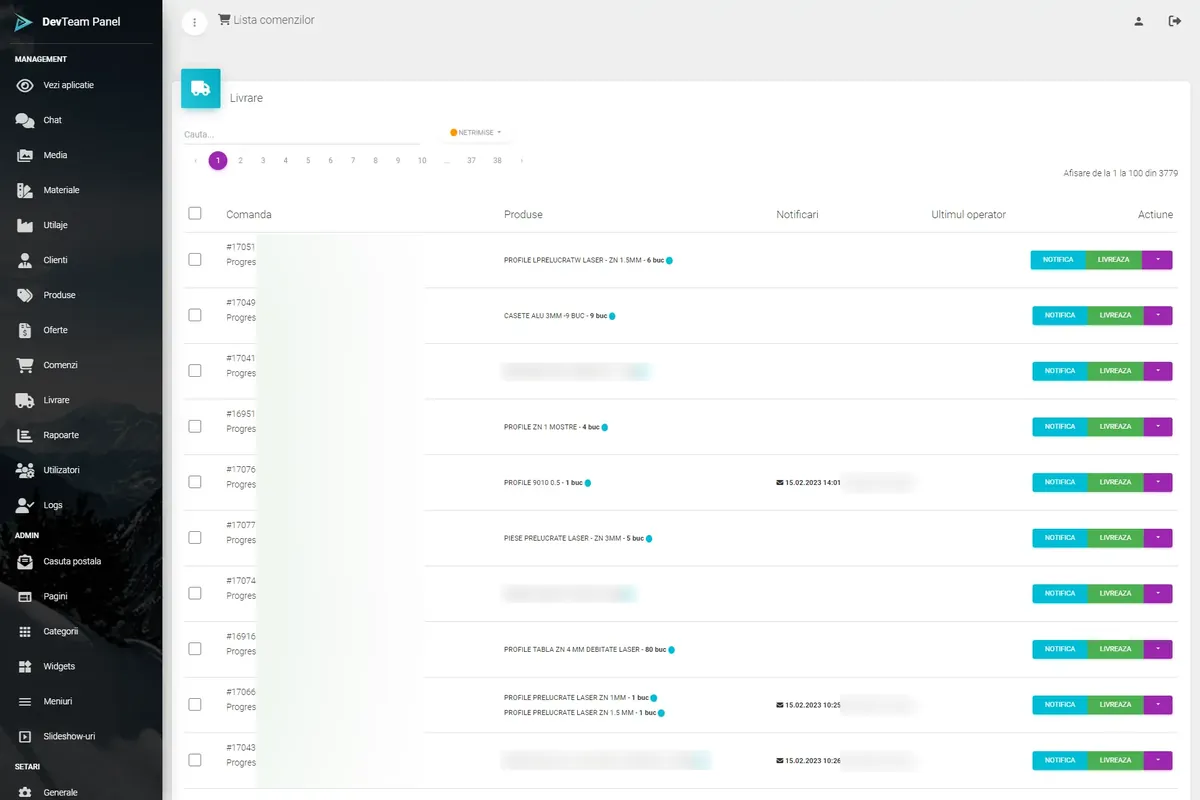
Finished orders move to the delivery list, which shows the progress of each one and lets the team notify the client.
Materials and stock, linked to Nexus
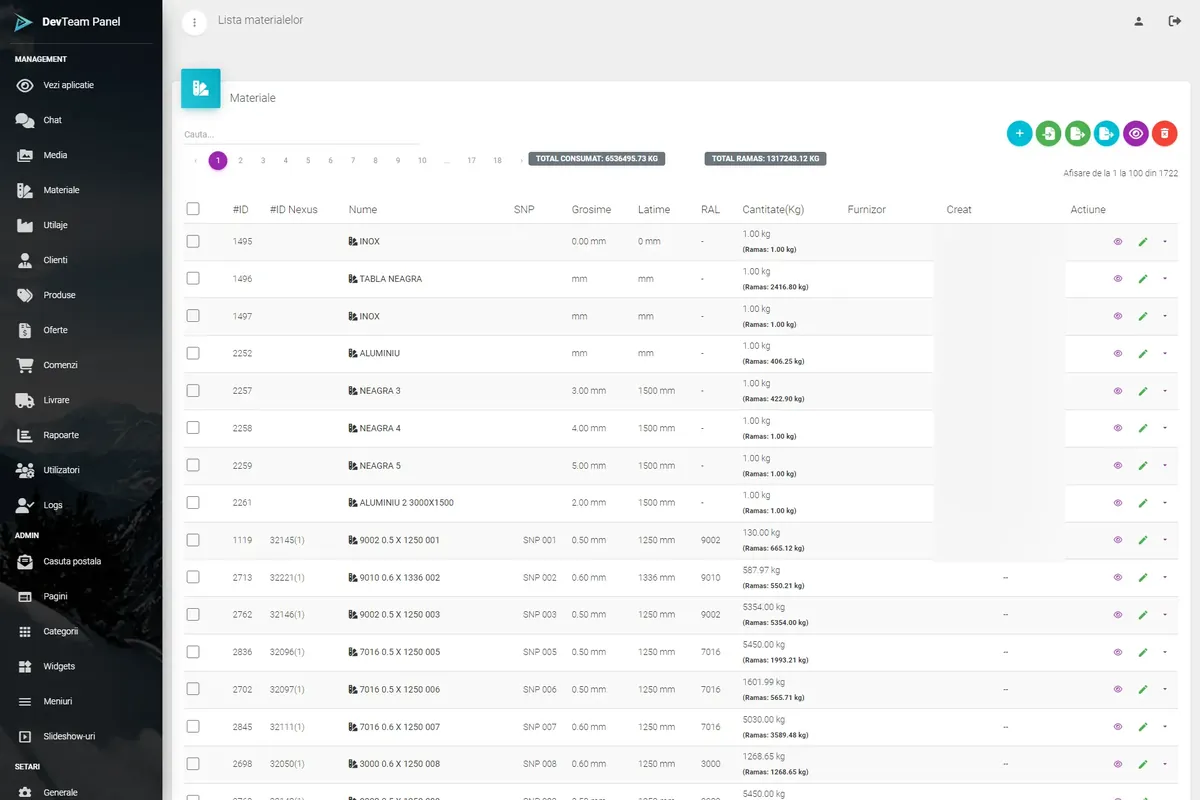
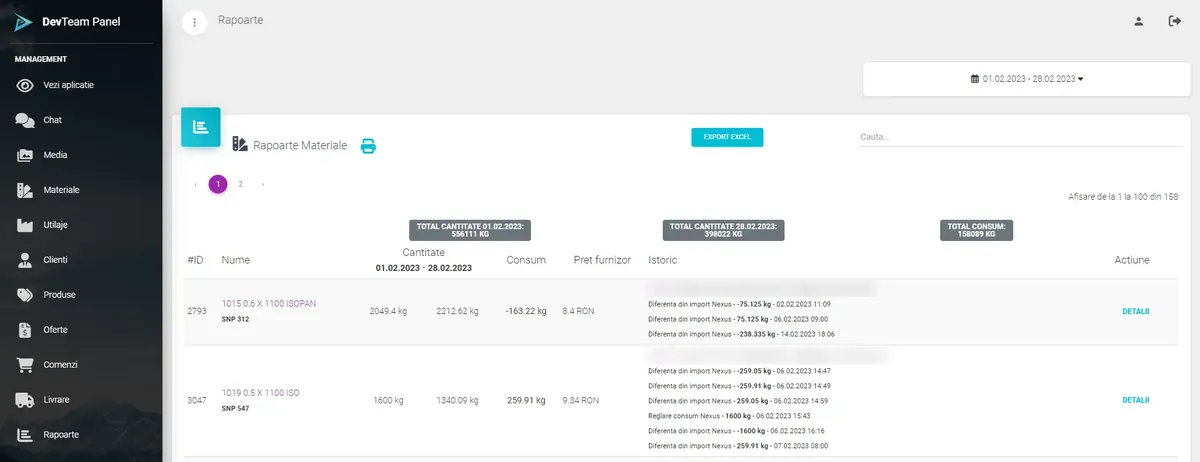
Each material has its SNP code, thickness, width, RAL colour and remaining quantity in kilograms. Total consumed and total remaining are shown above the list.
Materials also carry their Nexus ID, and differences from the Nexus imports appear in each material's history next to the consumption per order. The materials report for a period exports to Excel.
The app at the machine
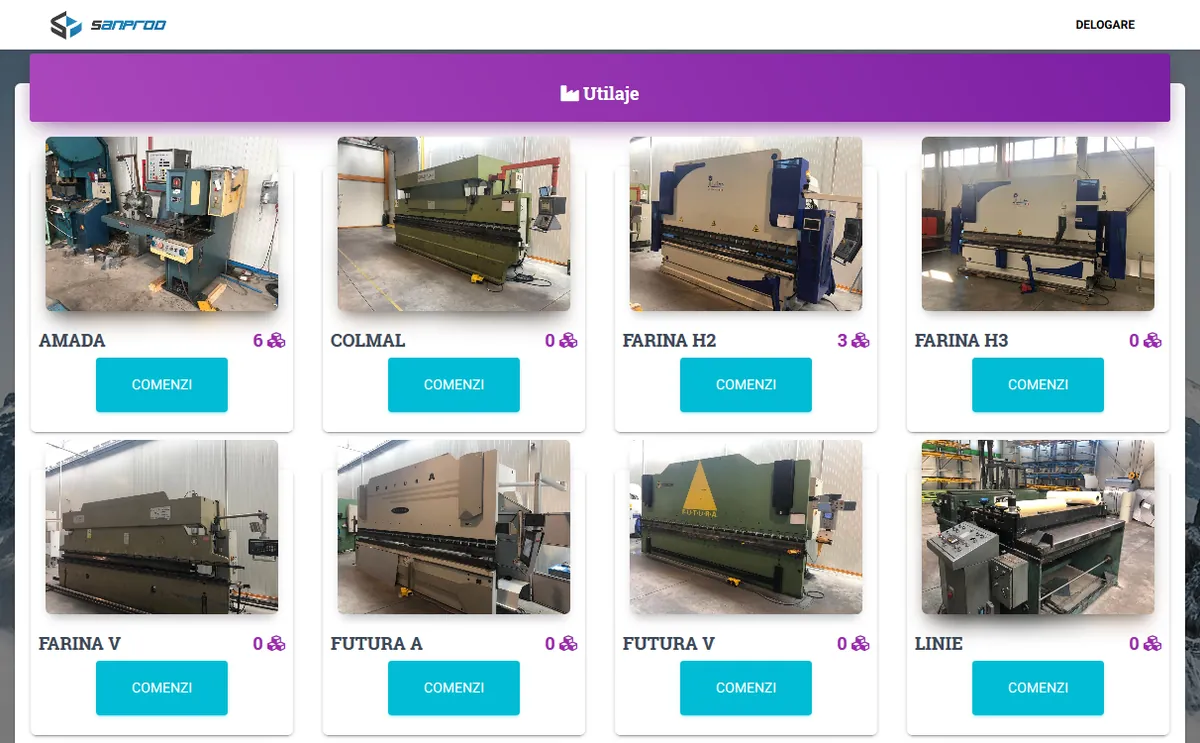
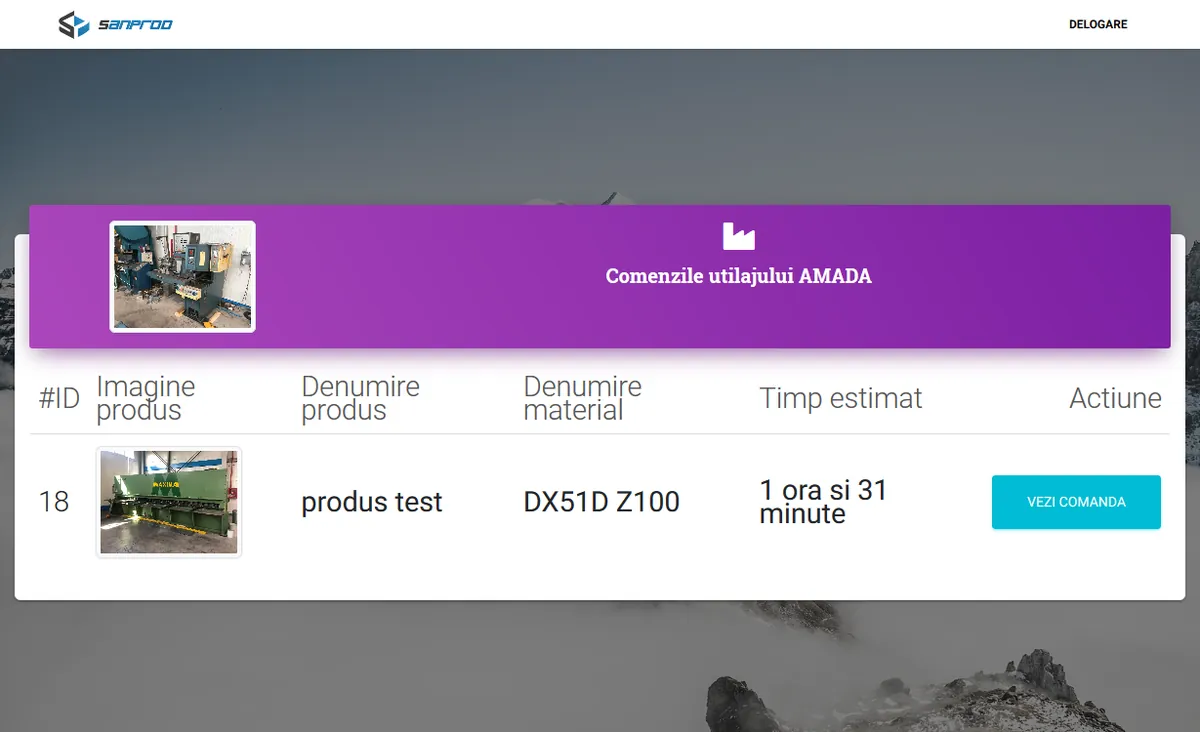
In the Android app, the worker sees the machines on the shop floor, each with its number of pending orders, then the orders of one machine, with the product, the material and the estimated time.
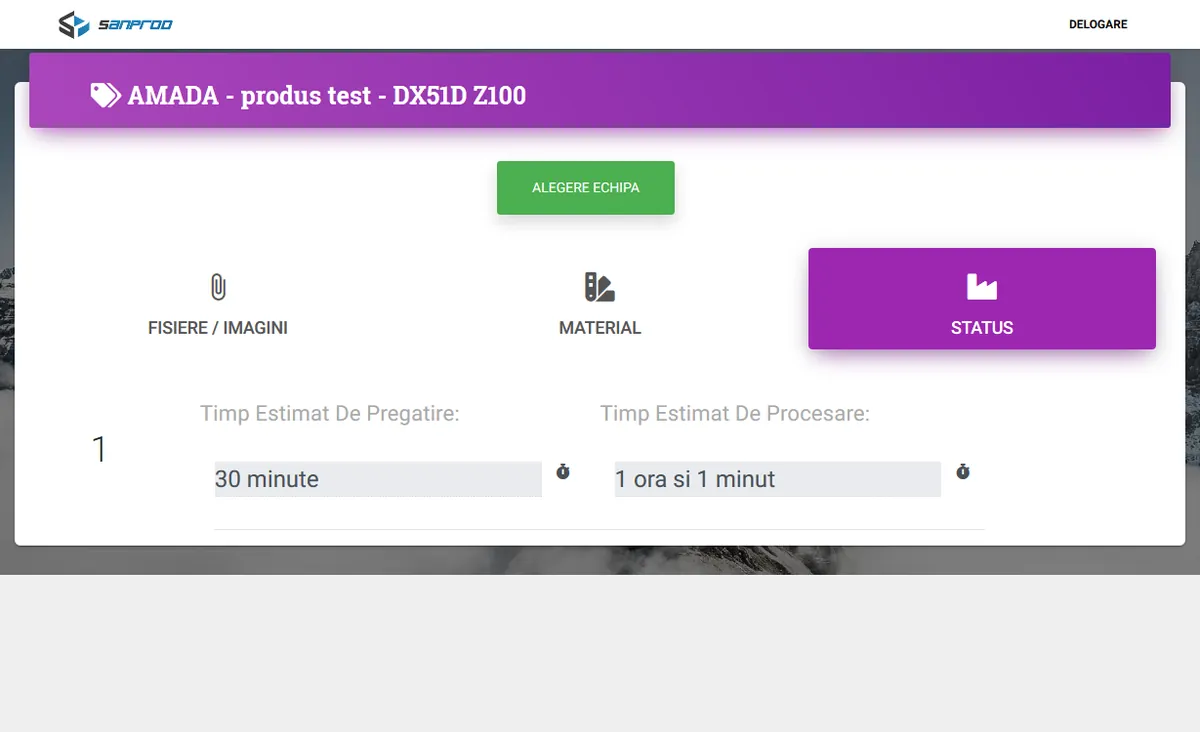
The order page holds the files and images, the material with its length, weight and quantity, and the estimated setup and processing times.
Worker activity
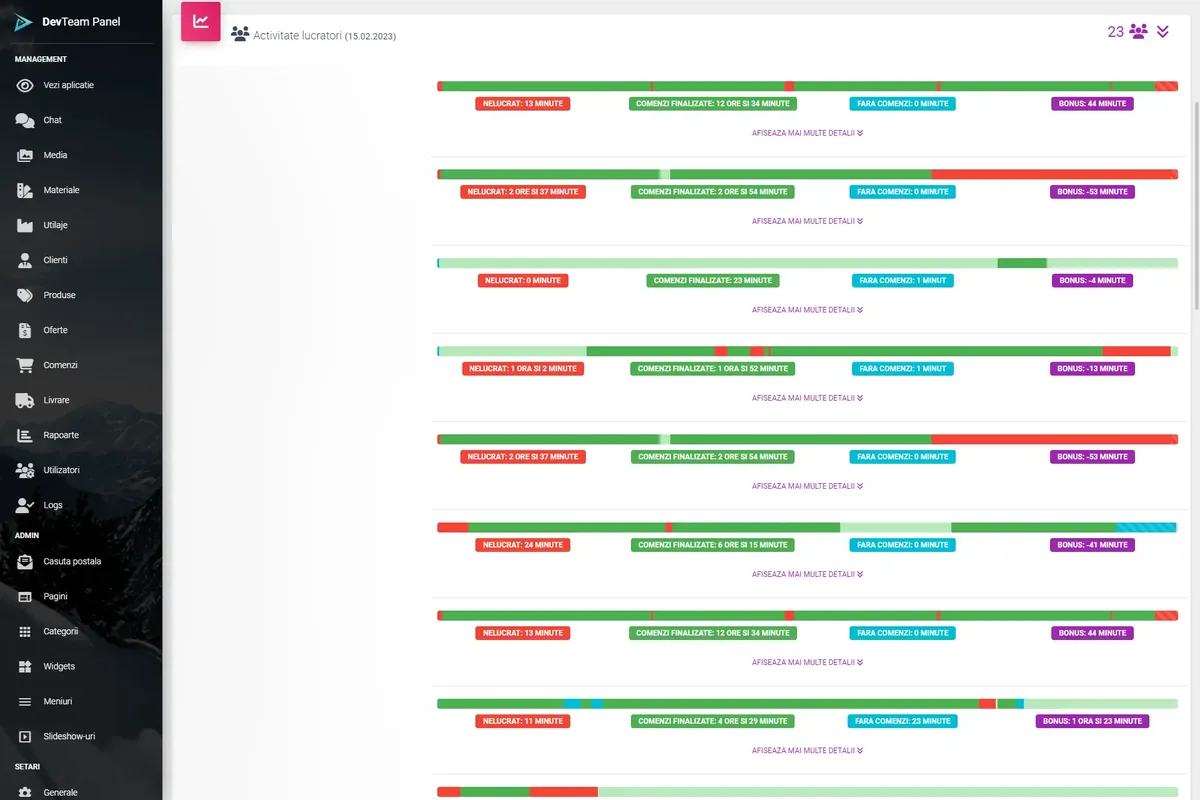
For each day, the dashboard shows every worker's activity on a timeline: idle time, time on finished orders, time without orders and the bonus in minutes.
Total working time appears next to each worker, and the details open from the same screen.
Dashboard, deliveries and reports
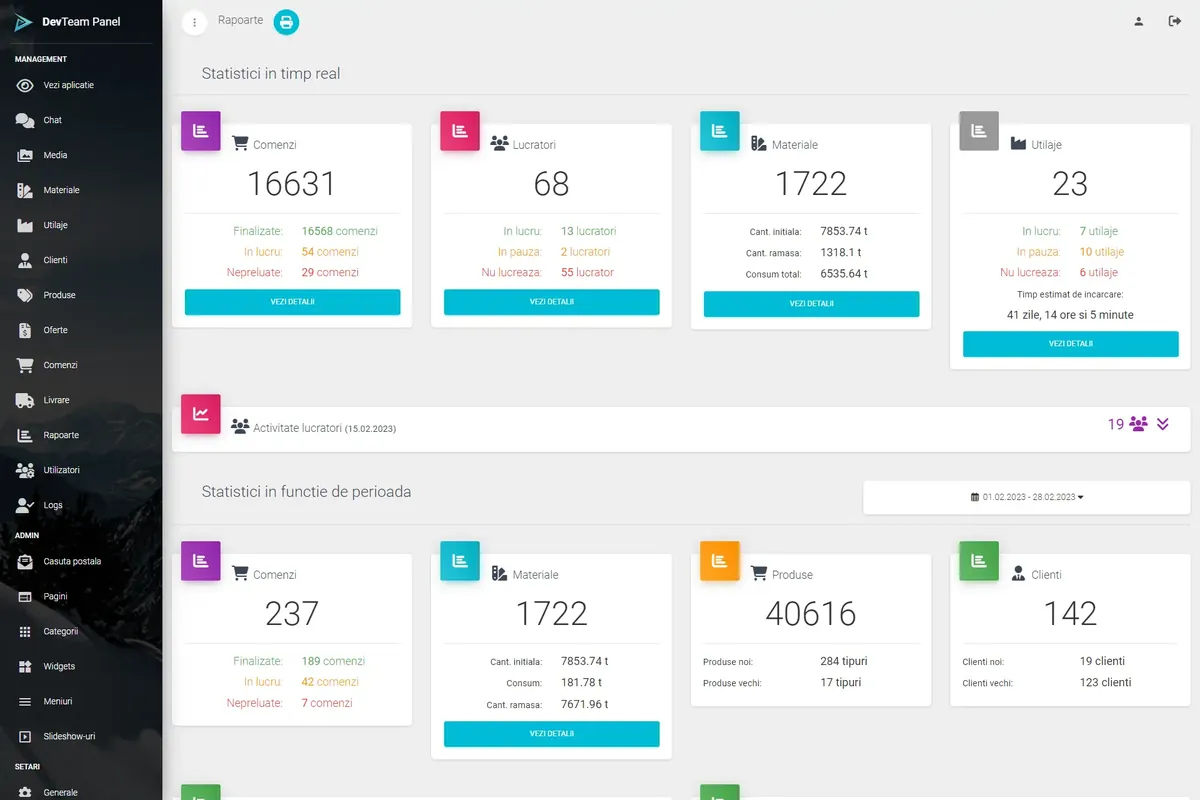
The dashboard shows in real time the finished, in-progress and unassigned orders, the workers at work or on a break, the material stock and the machines with their estimated load. For a chosen period it shows orders, material consumption, products and new clients.
- Real-time statistics
- Deliveries with client notifications
- Reports exported to Excel
- Chat and activity log
Key features
- Quote requests with status: quoted, confirmed, in progress
- Orders with materials, weight, total price and estimated time
- Products with their machines and estimated setup and processing times
- Materials with SNP code, thickness, width, RAL and stock in kilograms
- Nexus IDs and import differences in the material history
- Machines with images, video and files
- Android app with PIN login
- Team selection and order status at the machine
- Daily activity for every worker
- Deliveries with order progress and client notifications
- Material reports per period, with Excel export
- Clients, users, chat and activity log
Results
- Orders reach the machines through the app, with the estimated time for each product.
- The manager sees orders, workers, material stock and machine load in real time.
- Material consumption is recorded on each order, and differences from Nexus show up in the history.
- Each worker's working time is visible day by day, per order.
Technologies
- Laravel
- PHP
- MySQL
- jQuery
- JavaScript
- Android
- REST API
- Nexus
Screens from the dashboard and the Android app
Need an ERP for your production?
We build custom ERPs: orders, materials, machines, workers and reports, connected to the software you already use. Learn more about ERP platform development.